How to Optimize Google My Business for Local Success
October 14, 20255 min readDigital Marketing
Before you can even think about ranking at the top of local search, you have to get the basics right. Think of your Google Business Profile (formerly Google My Business) as the digital front door to your business. If the address is off or the business name is misspelled, you’re not just confusing potential customers; you’re telling Google you're not reliable.
This first phase is all about locking in the non-negotiables. Getting these core details perfectly aligned from day one prevents a world of ranking headaches later and builds instant trust with both Google and your future customers. Your Google Business Profile really is the cornerstone of your local online presence, acting as a true Google Business Profile as a Local SEO powerhouse.
Claiming and Verifying Your Profile
First things first, you need to take ownership. Head over to Google or Google Maps and search for your business name. If a profile already exists (which Google often auto-generates), you should see a link that says something like, “Own this business?” Click that to start the claiming process.
Next up is verification, and this step is absolutely critical. Google needs to confirm that your business is real and that you're the one who should be managing its online presence. The most common method is a postcard mailed to your physical address with a verification code, but some businesses get options for phone or email verification.
Key Takeaway: Do not put off verification. An unverified profile is practically invisible in search results and can’t be fully optimized. It is the single most important action to take before you do anything else.
Nailing Your Business Categories
Choosing the right categories is one of the most powerful moves you can make on your profile. It’s how you tell Google exactly what you do and which searches you should show up for. If you get this wrong, your ideal customers will never find you.
Your Primary Category: This is your bread and butter. Be hyper-specific here. Don't just pick "Restaurant"; choose "Pizzeria" or "Vegan Restaurant." This one category carries the most ranking weight.
Secondary Categories: Now, add any other relevant services you offer. That "Pizzeria" might also add "Italian Restaurant" and "Catering" as secondary options.
Stay Relevant: Resist the temptation to add categories for services you don't actually offer just to cast a wider net. It confuses Google’s algorithm and will end up hurting your rankings, not helping them.
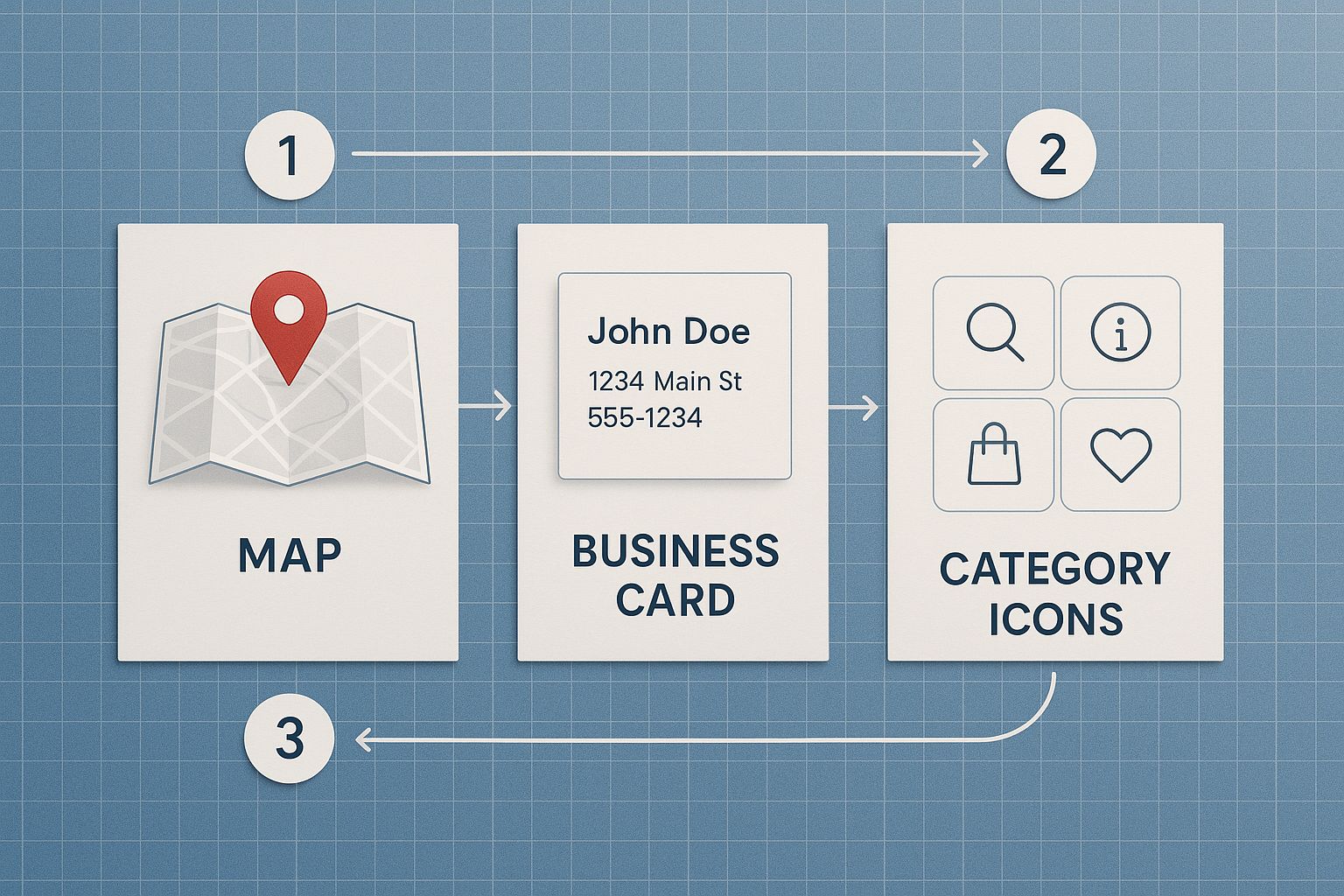
This infographic lays out a clear blueprint for these foundational pieces, illustrating how everything connects.
As you can see, these core components aren't just fields to fill out. They are the structural supports for your entire local SEO strategy.
To make this even clearer, here’s a quick-glance checklist of the foundational elements every business needs to get right for a successful Google Business Profile.
Core GBP Optimization Checklist
Getting these items checked off is your first major win in local SEO.
The Critical Importance of NAP Consistency
NAP stands for Name, Address, and Phone number. This trio of information needs to be identical everywhere it shows up online, not just on your GBP. That means your website, Facebook page, Yelp profile, and any other local directory need to match perfectly.
Even tiny inconsistencies, like using "St." in one place and "Street" in another, can create doubt in Google's algorithm. This erodes the trust signal, which can drag down your local rankings. Making sure your NAP is consistent is a powerful step when you're learning how to improve your local online presence.
Why is this so vital? It all comes down to Google’s massive market share. With Google owning the vast majority of the search market, its platform is the place to win local customers. Businesses that consistently appear in the top three local search results almost always have flawless NAP consistency and a completely filled-out profile. Getting these foundational details right isn't just a suggestion; it's the price of entry for competing effectively online.
Craft a Profile That Converts Visitors
Getting your business claimed and verified is just step one. If you stop there, you're leaving money on the table. A complete profile gets you on the map, but a rich, compelling profile is what actually earns you the click over your competitors.
This is where you move past simple data entry and start turning your listing into a powerful sales tool. Think of it this way: your name, address, and phone number are the "what" and "where." Now, it's time to nail the "why" — why should a customer pick up the phone, visit your website, or walk through your front door?
Writing a Business Description That Sells
You get 750 characters for your business description. Don't waste them. This is your one shot to speak directly to a potential customer, and it's a massive piece of the optimization puzzle. Don't just list what you do; tell people what makes you the best choice.
The first 250 characters are the most important, as that's what people see before they have to click "more." You have to hook them right away.
Here are a few pointers I always give my clients:
Focus on Their Problem: Instead of a generic "We offer expert accounting services," try something that resonates, like "Tired of confusing tax seasons? We help small businesses save time and money with stress-free accounting."
Use Their Language: Think about what your customers are actually typing into Google. If you're a plumber, weave in natural phrases like "emergency pipe repair" or "clogged drain solutions."
Show Off Your Value: Do you offer a 24-hour emergency service? Are you a third-generation family business? This is the place to shout about it.
Cut the Fluff: Don't repeat information that's already in other fields, like your address or phone number. That's just wasting precious real estate.
Pro Tip: Draft your description in a separate document first. This lets you polish it, check the character count, and make sure it sounds exactly right before you hit publish in the Google Business Profile manager.
The Power of Visuals That Pop
Photos aren't just for show. They build instant trust and drive real action. Google's own data shows that businesses with photos get 42% more requests for driving directions and 35% more clicks to their websites. It's a no-brainer.
But you can't just upload a few blurry phone pictures and call it a day. A bad photo can do more harm than no photo at all. You need a visual strategy.