

A city page can help your business show up in a nearby town where you already work. It can also quietly drag down your whole site. The difference is rarely the design or the keyword. It comes down to whether the page has earned its place and whether it says something true and specific about that city.
The question I hear from business owners in the Conejo Valley is usually "should we have a page for every city we serve?" A better question is "when is it the right time to add a second city page, and what does it need to say to be worth having?" This post answers that one.
What a local landing page is supposed to do
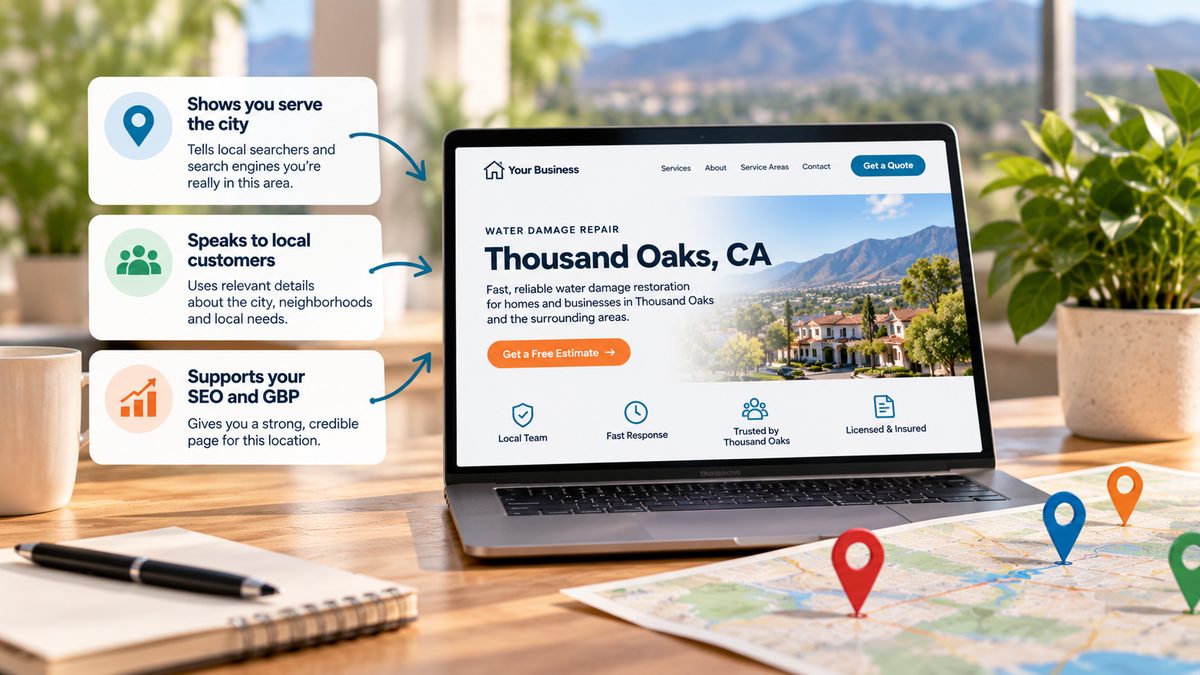
A local landing page is a page built around one service in one place: water damage repair in Thousand Oaks, kitchen remodeling in Westlake Village, landscape design in Newbury Park. It tells the people searching from that area, and the search engines reading the page, that you really serve there and know the area.
When it is done well, it supports your Google Business Profile, gives searchers a page that is clearly about their town, and gives your wider SEO strategy a clear, credible page for each place you care about.
When it is done badly, it is just noise. Google's own spam policies name "doorway pages" as a violation: pages made to rank for similar searches that send visitors to the same thin content. A stack of near-identical city pages fits that description.
When it is the right time for a second city page
Most local businesses should start with one strong page for their home city and a strong service page. A second city page is something you earn. Here are the signs that you have.
You genuinely do business there. You have completed jobs, current customers, or a steady flow of inquiries from that city. If you cannot name real work you have done there, you are not ready to write the page.
People are searching for it. Check Search Console. If you see impressions for searches that include the second city's name, but they land on your homepage or a general service page, that is a signal. Demand already exists, and you have no page that matches it.
You have something specific to say. This is the test most city pages fail. Can you write about local conditions, neighborhoods you serve, the kinds of homes or businesses in that area, local permit or code differences, how long it takes you to get there, or projects you have finished nearby? If the only thing that would change is the city name, you do not have a second page. You have a copy.
Your first page is already performing. If your home city page is not showing up yet, adding more pages spreads your effort thinner. Fix the foundation first.
Your Google Business Profile supports it. If the city is inside your listed service area, or you have a real physical location there, the page and the profile back each other up. Never invent an address to support a city page. That creates a different and bigger problem.
If you can check most of those boxes, a second city page is likely to help. If you can check one, wait.
What "done right" actually looks like
What I tell clients is that a good location page has to be very specific to the city. Not keyword stuffing. Real, useful information for someone who lives or works there.
That usually means:
- Content that only makes sense for that city. Neighborhoods you serve, local landmarks people use for directions, common problems in that area (older housing stock, hillside properties, HOA rules), and the projects you have finished there.
- An embedded map showing your location or service area, so both people and search engines can see where you are in relation to them.
- Correct, consistent business information. Name, address, and phone number that match your Google Business Profile exactly, plus hours and how to reach you.
- Proof from that area. Reviews from customers in that city, photos of local jobs, and real details about the work.
- Answers to local questions. How quickly can you get to them? Do you need a permit there? Do you charge more for travel?
- Clean internal links. The main service page links to the city page, the city page links back, and nothing else on the site competes for the same search.
A page like this takes longer to write than a template. That is the point. The effort is what makes it believable.
The templated page trap
It has never been easier to make city pages. With AI tools, you can generate hundreds in an afternoon. That does not mean you should.
If you create 60 city pages from the same template and switch out a word here or there, it does not really help you. Search engines can see that the pages are essentially the same. Visitors can too. Nobody in Ventura County is impressed by a page that says "we proudly serve Camarillo" in the same sentence the next page uses for Oxnard.
At best, templated pages get ignored. At worst, they make your whole site look lower quality, because a large share of your pages say nothing new. You end up with more pages and less credibility.
When nobody cleans up: the multiple-agency problem
There is a second way city pages go wrong, and it is more common than people think. It happens when a business has worked with a couple of agencies over several years.
We came across this with a client, and it took quite a bit of cleanup. Each previous agency had built its own set of location pages for the cities the business served. Nobody removed the old ones when the next agency arrived. Over time, nothing was cleaned up.
When we dug into why the business was not showing up in certain cities, in spite of having a location page for each one, we found three different pages for every single city. Many of them linked to each other incorrectly. Some had outdated information. It was a mess.
That is a real problem, because you no longer have one credible page for that city. You have three weaker pages competing with each other. This is what SEOs call cannibalization: your own pages fight over the same search, and search engines cannot tell which one you want to rank. Often the answer is none of them.
How to clean up competing city pages
If you suspect this is happening on your site, here is the process we follow.
- Inventory everything. Crawl the site and pull every URL with a city name in it. Check Search Console for city searches and note which pages are getting impressions.
- Group by city and service. You want to see every page competing for "service plus city" side by side.
- Pick one page to keep for each city. Usually it is the one with the best content, the strongest links, or the most Search Console activity.
- Merge the useful parts. If an older page has a good project write-up or a local detail, move it onto the page you are keeping.
- Redirect the rest. Use 301 redirects from the retired pages to the one you kept, so any value they built carries over.
- Fix internal links and your sitemap. Point every link at the one remaining page and remove retired URLs from the sitemap.
- Line it up with your Google Business Profile. Make sure the page your profile links to, and the details on it, match.
After cleanup, each city has one clear, useful page. Often that alone does more than adding new pages would have. It is also a good time to check that the pages are built well for mobile and load quickly, which is part of how we approach website design for local businesses.
The short version
A second city page should come after real work, real search demand, and real local detail. It should be specific to that city, include a map and accurate business information, and be the only page on your site going after that city. Templated pages and leftover pages from past agencies do the opposite. They take credibility away from your website.
If you are not sure whether your city pages are helping or hurting, start with a clear picture of how visible your business is today. Our AI Visibility Scorecard shows where you show up in local and AI search, and where you do not.
Frequently asked questions
How many city pages should a local business have?
As many as you can make genuinely useful, and no more. For most local service businesses, that means a strong page for the home city plus a page for each nearby city where you have real customers, search demand, and something specific to say. For many businesses that is two to five pages, not fifty.
Can I use AI to write my location pages?
AI can help with outlines and first drafts, but it cannot provide your local proof: your projects, your reviews, your knowledge of the area. If the finished pages read like the same page with a different city name, they will not help you, however they were written.
Do I need a physical address in a city to have a page for it?
No. Service-area businesses can have useful pages for cities they serve without an office there. What you need is real work and real information about that city. Never list a fake address to support a page or a Google Business Profile.
How do I know if my city pages are competing with each other?
Search your site for every page that targets the same city and service. In Search Console, look for a single city search where impressions are split across two or more of your URLs. If you find duplicates, choose one page to keep, merge the best content into it, and redirect the others to it.
Will a city page help my Google Business Profile rank?
It can support it. A specific, accurate city page that matches your profile's name, address, phone, and service area gives search engines more confidence that you really serve there. It works alongside your profile, not as a replacement for it.